Your specs live in the repo.
Your PMs and agents can finally edit them too.

Engineers, PMs, and coding agents all write together.
Two-way markdown sync to your repos.
Every edit is attributed.

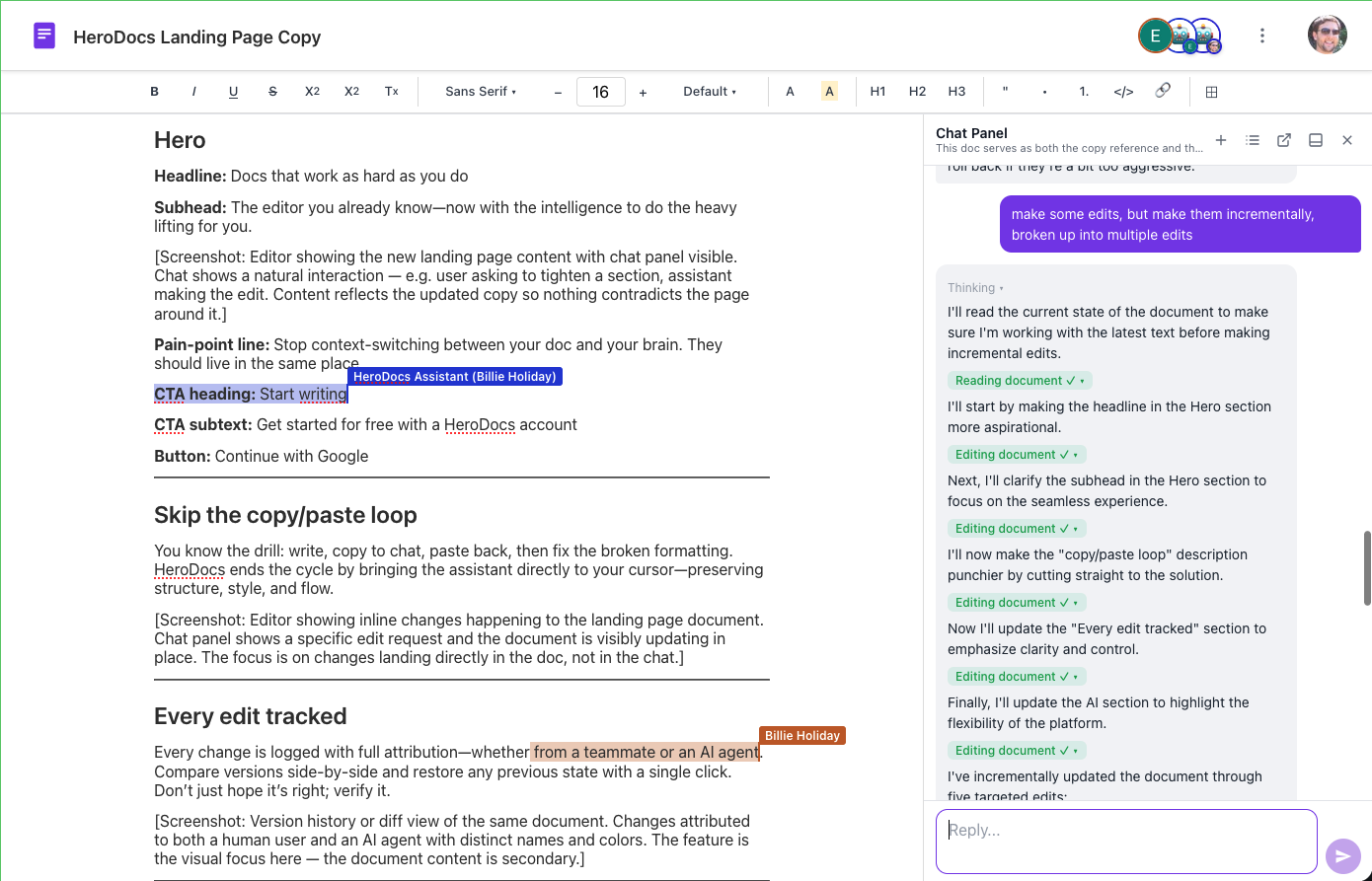
Squire Docs editor with the AI assistant panel open: inline diffs and suggestions, with a live collaborator editing the document
Runs on Anthropic's Claude models
Sign in with Google. No password, no card
Every AI edit attributed and reversible
Your API keys encrypted at rest

Connects to your favorite AI

Works with any AI agent or model. Use Claude, ChatGPT, Gemini, GLM, or any agent right inside your document.

Use any model

Bring your own key from Anthropic, Google (Gemini), OpenAI, z.ai (GLM), or OpenRouter and use any model you choose.

Connect any agent

Connect external agents like Claude Code, Kiro, Codex, and Claude Desktop to your documents over MCP. See the Agents & MCP Guide for setup.

Batteries included

The built-in AI agent runs on Anthropic models and is ready the moment you open a doc.

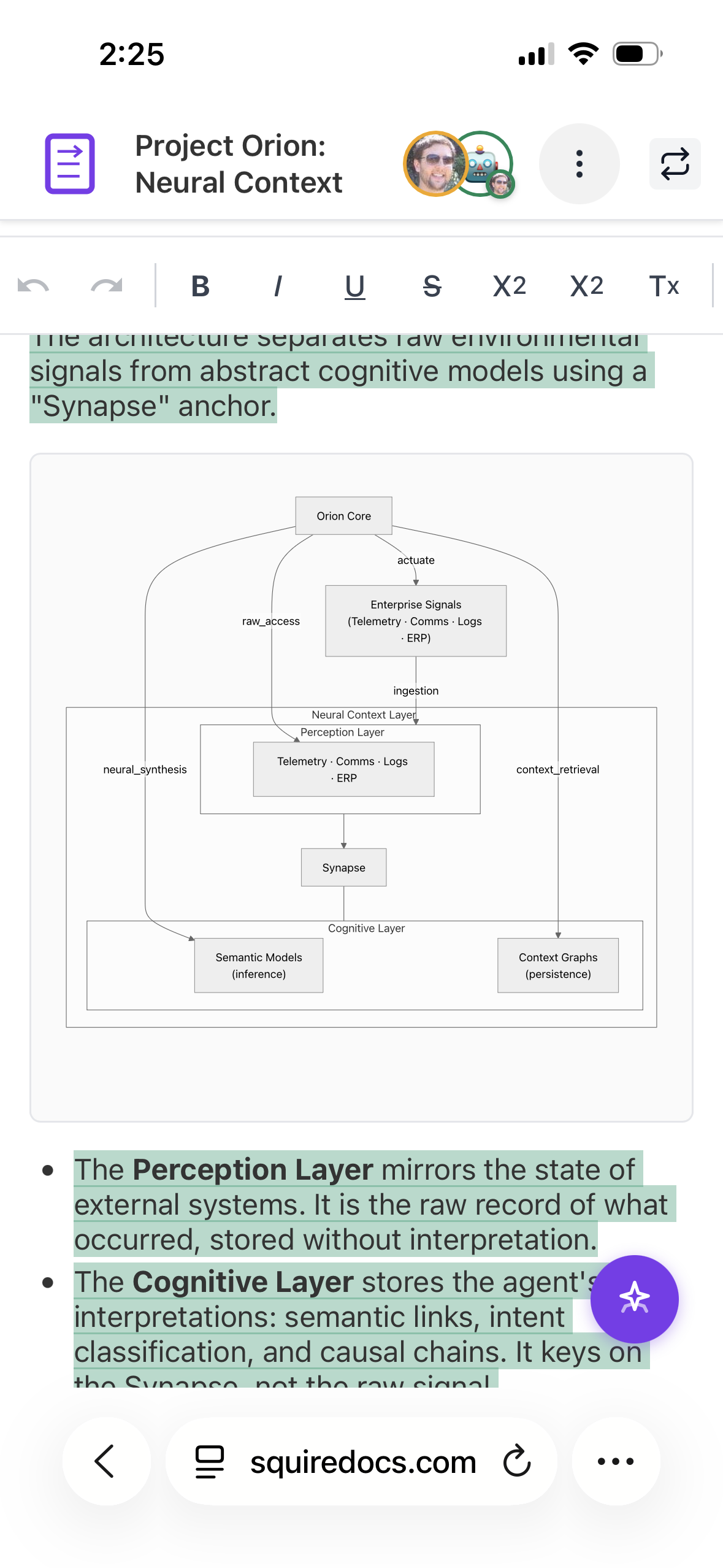
Squire Docs on a phone showing a document with a rendered architecture diagram

Syncs markdown with your repo

Import any markdown, export .md, and keep a two-way sync with the files in your repo. A push from the repo merges like an edit from a collaborator who was offline: attribution intact, no conflict dialogs. GFM task lists, tables, and mermaid diagrams render natively.

Bring your markdown in

Paste or import existing .md files and your agent's markdown output. They become collaborative, attributed documents.

Export markdown

Every doc exports as portable .md. Your content is always yours and up to date.

Two-way repo sync

Frontmatter carries each doc's identity, so a spec stays in sync between Squire and your repo. Edit in either place; changes merge cleanly.

For spec-driven engineering teams

Design docs, ADRs, and specs your whole team writes together, and your coding agents can read and update. Spec-driven development, without the copy-paste.

Specs your agents can read

Connect Claude Code, Kiro, Codex, or Claude Desktop over MCP. Your coding agent reads the design doc and writes back to it. Every edit is attributed; nothing is pasted over anonymously. Kiro's spec-driven workflow is a strong fit: the spec it works from can be a living Squire document your team edits together.

Design docs & ADRs, together

Architects, PMs, and engineers edit the same living spec in real time. The decision and its rationale stay in one place, not scattered across chat threads.

From idea to implementation

Turn a rough idea into a design doc your team signs off on, then feed the synced markdown straight into Kiro, spec-kit, or whatever spec-driven tooling you run. Design in Squire, sync to the repo, let your agents implement against it. It's the workflow we build Squire with.

Every edit has an author, even the agent's

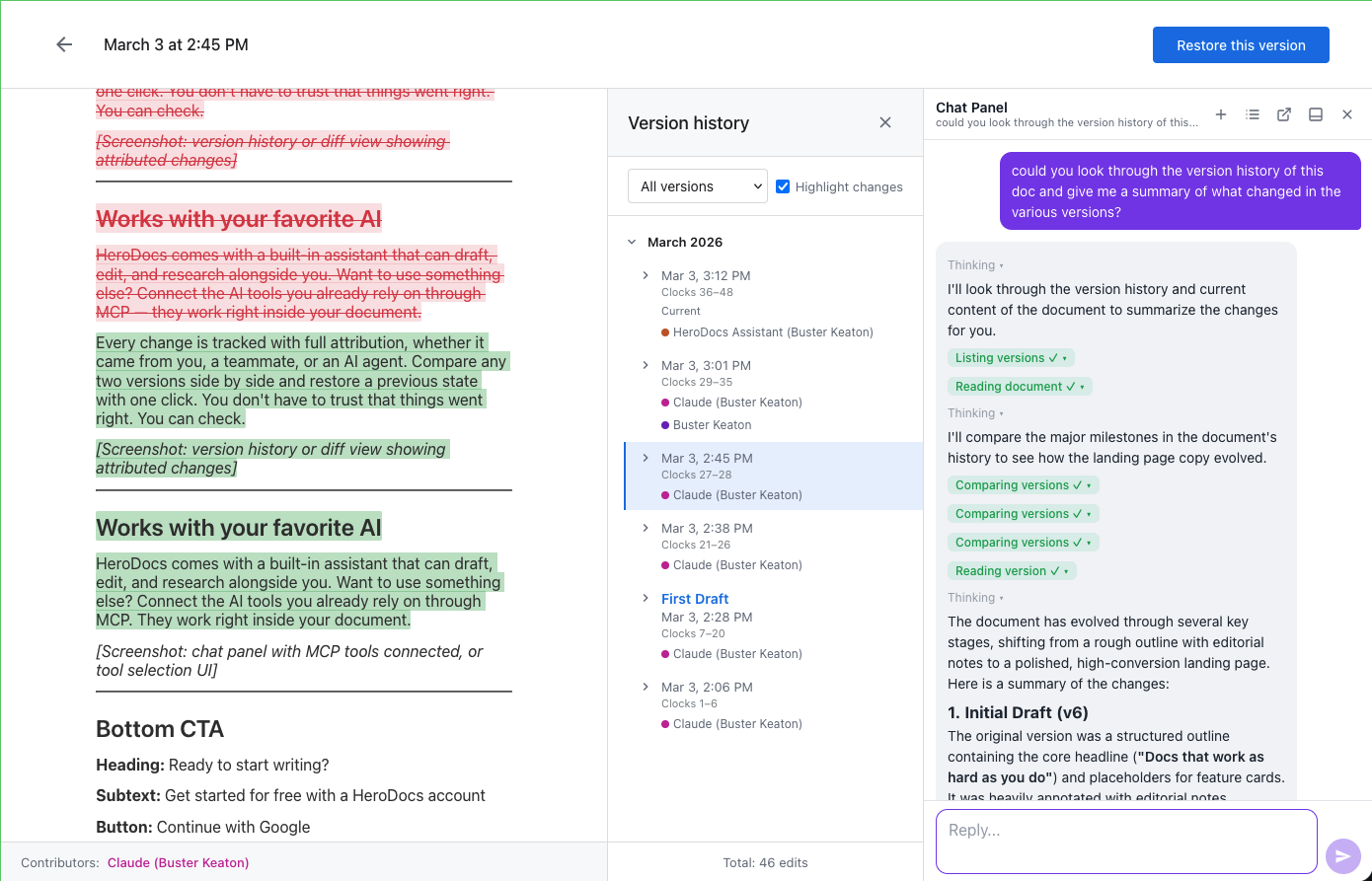
Human or AI, every change is attributed to whoever made it and reversible through version history. Agent-written content is attributed like a collaborator's work, not pasted over anonymously.

Live presence: humans and agents

Every collaborator shows up as a named, colored cursor, including your coding agents. Watch their edits land in real time.

Built for simultaneous edits

Docs are conflict-free by design. Humans and agents edit concurrently and changes merge automatically: no locks, no conflict dialogs, no lost work.

A full, attributed history

Every version is named, dated, and credited. The record of how the work took shape lives with the document.

Collaborative Docs for Spec-Driven Development

The documents that drive how your software gets built — from architecture decisions to the specs your agents execute against.

Design docs & ADRs

Capture architecture decisions and their rationale in one place, with the diagrams inline and every change attributed.

Specs & PRDs

Turn a rough idea into a spec your team signs off on and your coding agents can execute against.

Plans, reports & memos

Project plans, status updates, and the announcement you keep rewriting. A strong first draft, then make it yours.

Ready to write with your agents?

Questions? Email us. A human answers.